
For some people, an office chair is more than just a piece of furniture, but rather a place where they spend most of their time. Having to sit all day in one place can be uncomfortable and sometimes painful, but thankfully, there are ways to make that experience better and cozier.
Why It’s Important to Have a Comfortable Office Chair
First and foremost, a comfortable office chair is crucial for your long-term health. Sitting down for hours in awkward positions can lead to back issues, shoulder pain, and problems with circulation.
ergonomic-office-chairs”>Key Features of Ergonomic Office Chairs
All of this can easily be prevented if you know what to look out for while searching for a good computer chair. For instance, these chairs provide back support and have many features that improve comfort, such as armrests, lumbar support, easily adjustable seat height, and swivel.
More expensive chairs have better quality materials, so they last longer and don’t break easily, while cheaper chairs don’t have as many features and are less supportive.
So, instead of changing multiple chairs in a year, it’s best to invest in one you’re sure will last for years and has everything you need.
The Importance of Comfort for Long Hours
Uncomfortable chairs tend to restrict your blood flow. Your body needs to be in a neutral position because there is the least pressure on nerves and muscles. Maintaining proper posture helps you avoid having back and neck pains, which also affects your mood positively. Additionally, having correct posture means fewer headaches and better circulation.
How to Know if You Need to Adjust or Change Your Office Chair
There’s no clearer sign to change or adjust your office chair than feeling any pain or discomfort. If, even after adjusting your chair, you don’t feel comfortable, maybe it’s time to buy a new one.
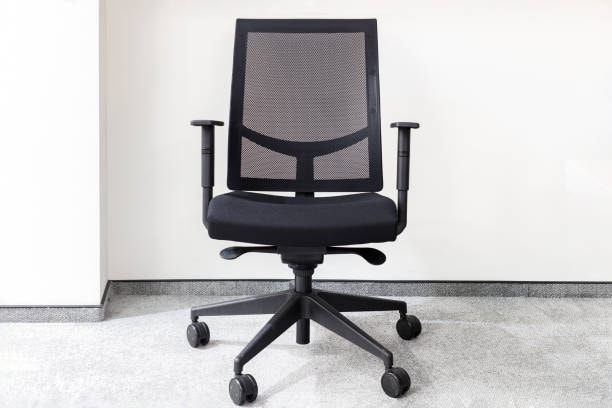
Adjust the Chair Ergonomically for Your Comfort
There are certain things you need to be careful about when you want to adjust your chair, such as the chair height and properly setting lumbar support.
Chair Height Adjustments
You need to make sure that your feet will rest firmly and flat on the floor and that your weight is evenly distributed. Additionally, you shouldn’t feel pressure anywhere. Also, your knees should be at a 90-degree angle.
Properly Setting Lumbar Support
Having a lumbar pillow or built-in lumbar support helps you maintain your neutral position and natural back curve. If you don’t have support, you’ll find it difficult to hold that position, but you can use lumbar support with an adjustable strap.
How to Achieve a Neutral Position
To achieve or maintain a neutral position, you should keep your feet flat on the ground while sitting. Your back should be straight, and you should relax your neck while your knees should be at a 90-degree angle. Moreover, your head should be at the center between your neck and shoulders.
How to Improve Your Office Chair for Better Comfort
There are a few ways you can slightly improve your office chair if you don’t want to buy one just yet.
Using Seat Cushions and Lumbar Support Pillows
These cushions and pillows made of memory foam are incredibly comfortable, help support the spine, and improve your posture and blood flow. They are also a good investment because they last longer than lower-quality options.
Gel pad cushions, just like memory foam cushions, help prevent back pain and back health problems. They also reduce any pain in the back area.
Here are some practical options when choosing ergonomic chairs:
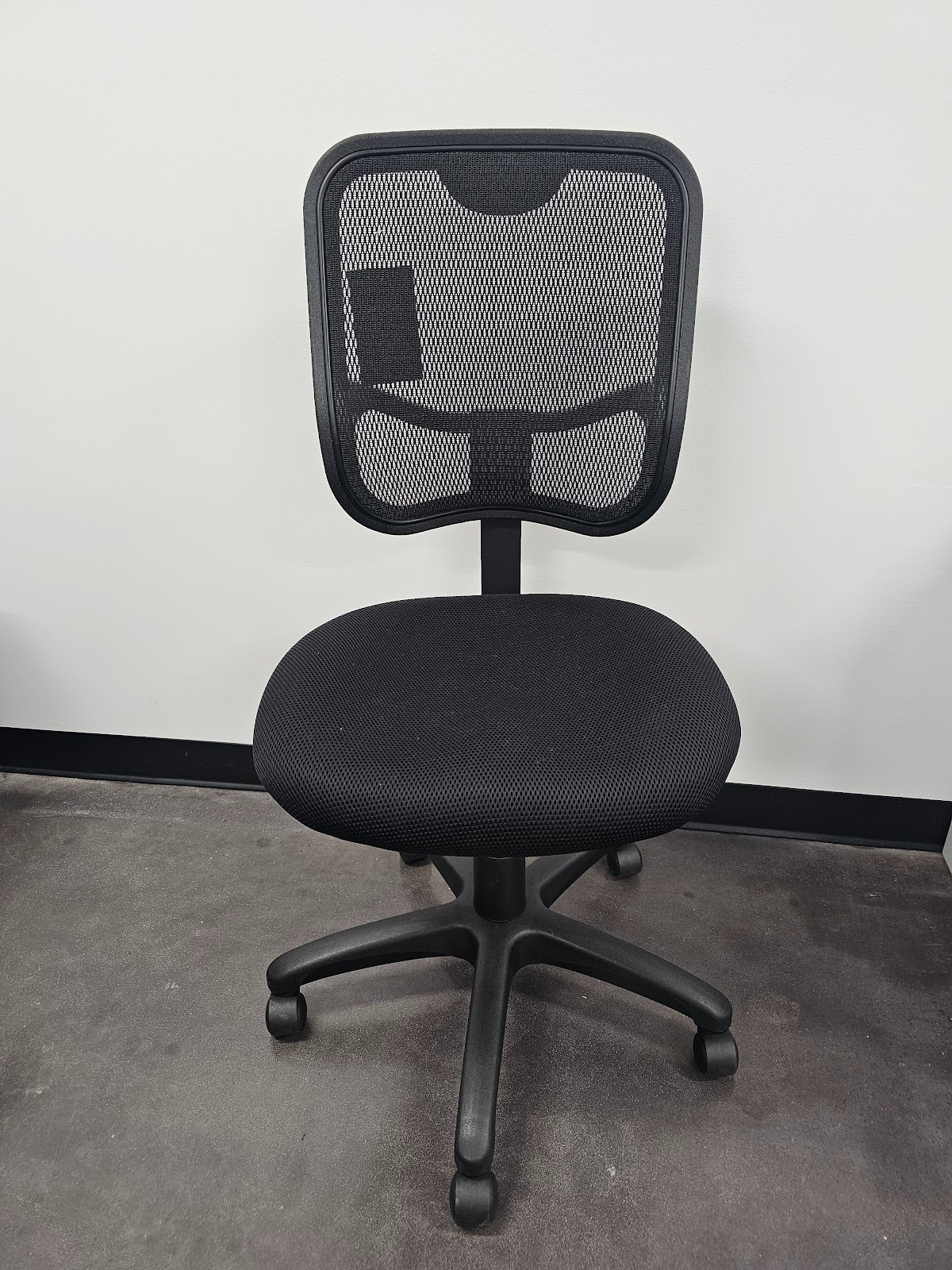
- OFM Armless Office Chair
The price of this chair is $55, which is affordable for an ergonomic chair. Some of its key features are breathability, lumbar support, and ergonomic adjustments such as back height, back angle, seat height, and tilt.
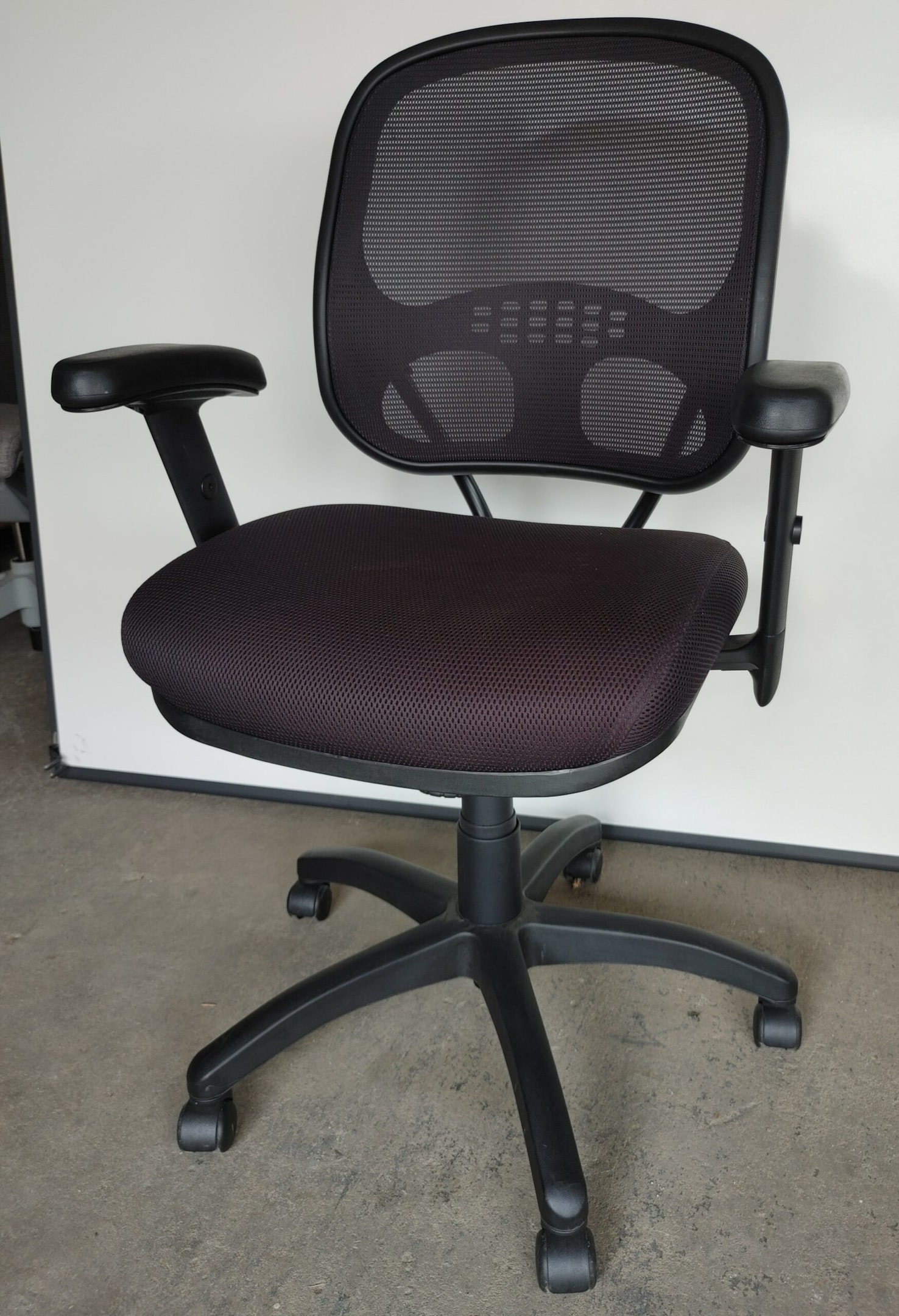
- AIS Element Task Chair
Even though this chair is a bit pricier and costs $125, it’s really comfortable and provides arm height adjustment, pneumatic seat height adjustment, and synchro-tilt mechanism with center tension adjustment.
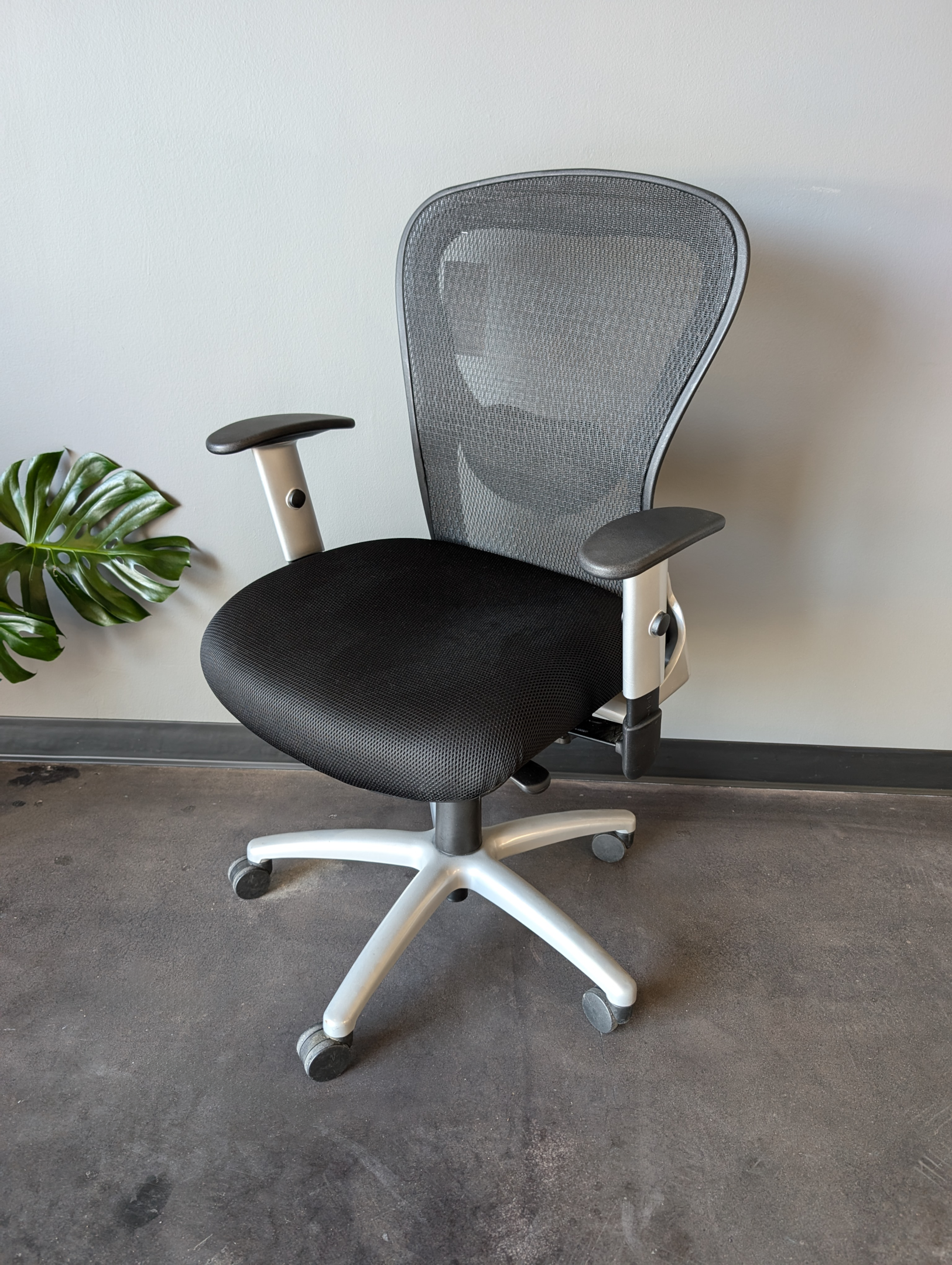
- Strata Task Chair
This chair costs $105 and has everything you need, from adjustable lumbar support and synchro tilt control to a weight capacity of 300 lbs.
Upgrading Your Workspace With Ergonomic Accessories
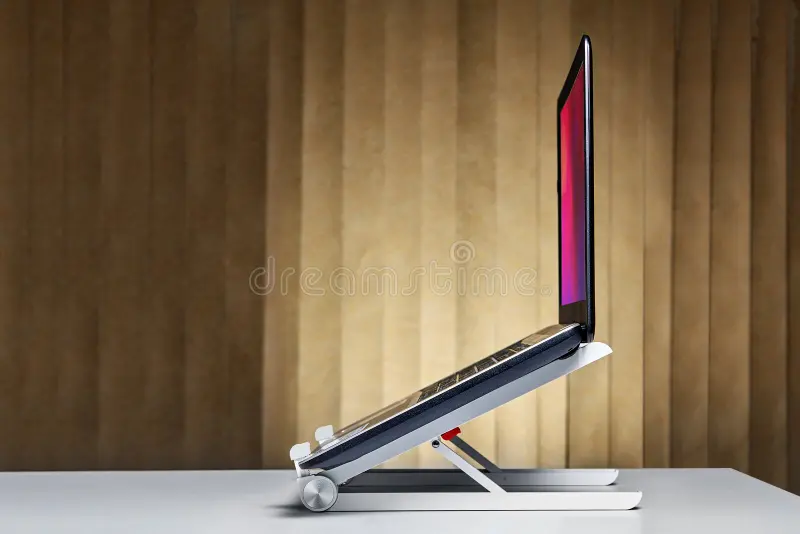
There are a few accessories that you can incorporate into your work environment to make your life easier. Laptop stands can be very effective for your neck, spine, and shoulders. You can easily adjust your laptop stand to your liking to prevent yourself from slouching and help maintain your posture.
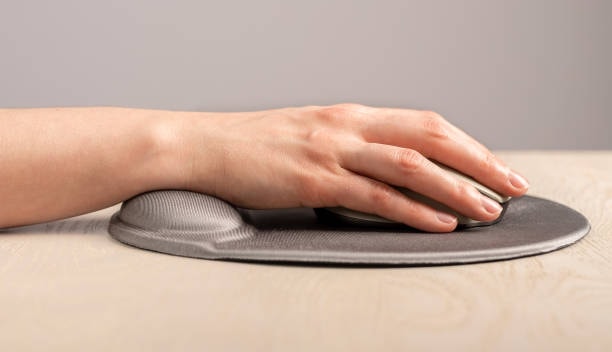
Ergonomic mice help you maintain a more natural hand position. Your hand doesn’t get tired as much, and there is no pain or pressure. There is also no need for your hand to move as much when using one.

Wrist rests are also a good option if you want to put less pressure on your wrists. They are the biggest help when you’re using your keyboard because they don’t allow your hands to bend too far downward.
Lastly, a keyboard tray is an adjustable accessory that lets you adjust your mouse and keyboard at the position and height that is the most comfortable for you.
Cheap Desk Chairs and How to Modify Them for Comfort
Here are some of the most effective ideas for modifying your desk chairs. If your chair is too big, you can try adding some adjustable footrests to your chair. You can also try adjusting your armrest or adding some non-slip pads to the chair legs.
If you’re using a dining chair, you can add cushions or lumbar support or try adding rolled-up blanks behind your lower back as a support.
How to Sit Properly
To avoid multiple health issues that come with improper sitting, you should learn how to sit appropriately and maintain proper posture.
How to Keep the Proper Posture
Your feet should be flat on the floor and your knees at a 90-degree angle. Also, your weight should be evenly distributed, and you should consider taking breaks once in a while since it’s not good to sit in one position for many hours.
The Best Position for Sitting
The top of the screen of a monitor should be at eye level, and the distance from the monitor should be 50-100 cm. Furthermore, your keyboard and mouse should be properly set up. Using ergonomic accessories can significantly improve your sitting position and posture.
Switching Between Sitting and Standing
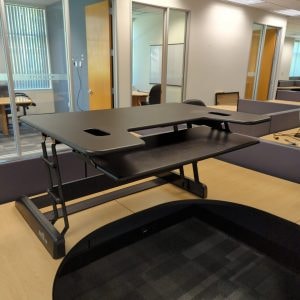
Using a standing desk can help you reduce and avoid back pain, improve your mood, and boost your energy levels. However, you shouldn’t stand all the time. It’s recommended that every half an hour, an individual sit for 20 minutes, stand for 8 minutes, and move around for 2 minutes. This is called the “20-8-2” pattern.
How to Create Ergonomic Workspace and Environment
You must find ideal positions for your equipment so you can be as comfortable as possible in your working environment.
Office Furniture Setup
First, your desk should be the correct height, as well as the monitor. Your chair should be comfortable, supporting your spine and keeping your posture proper.
Your Entire Body Should Be Comfortable
Proper lumbar support helps to avoid back pain and health problems. You should use a cushion that slightly arches your lower back and keeps it in its natural position. To prevent circulation problems, you should avoid sitting all day and try to keep a proper posture.
Tips for Preventing Neck and Wrist Strain
Adjust your desk or monitor height so the top of the screen of the monitor is at eye level. Also, use all the ergonomic accessories you can, such as an ergonomic mouse, wrist rest, and keyboard trays, to prevent wrist strain.
What Are Common Problems With Office Chairs
Some common problems with office chairs include a lack of lumbar support and sinking seats. Here are some tips for fixing that.
Tips for Fixing Uncomfortable Chairs
Try adding some memory foam cushions and lumbar pillows for comfort. If you don’t have any of those pillows, try adding a regular pillow behind your back or rolling up a towel and putting it where your lower back is. You can also add non-slip pads.
Ways to Prevent Discomfort and Pain
Using ergonomic accessories helps you prevent neck and wrist strains and makes it easier for you to use certain things, such as a mouse and keyboard. Pillows and cushions help you support your back and prevent pains in your back and neck area.
When Is a Good Time for a New Chair
If your job involves sitting all day in your office by your computer, then you should definitely invest in an ergonomically designed or high-end chair. These chairs help improve posture, provide support for your back, reduce pain, and increase comfort, and are adjustable.
Conclusion
In short, before you invest in a new chair, try making it more comfortable by adding more affordable modifications. Moreover, incorporate ergonomic accessories in your working environment for extra support because maintaining proper sitting posture and making your sitting experience as easy and as comfortable as possible is essential not only for your health but also for your overall well-being.
Looking for Office Furniture in San Diego?
Visit the Offisavvy showroom at 7668 Miramar Rd., Suite B, San Diego, CA 92126 — we carry new and used office furniture including ergonomic chairs, standing desks, cubicles, and more. Call 858-727-5444 or request a quote online.


